NTXM Browser Mini is a desktop Chromium (CEF) that stays open on your machine — cookies, logins, and tabs included. An agent does not eat HTML or screenshots by default. It gets a small action map, acts by a short id, and gets the next map back in one call.
v0.1.3 · Windows .exe · macOS .dmg · See all releases
Unsigned Binary NoticeAs a solo developer, my installers are currently unsigned. Windows Defender, SmartScreen, or your browser may show a "Windows protected your PC" warning or falsely flag the file as harmful. To proceed, click "More info" → "Run anyway". Use at your own risk.
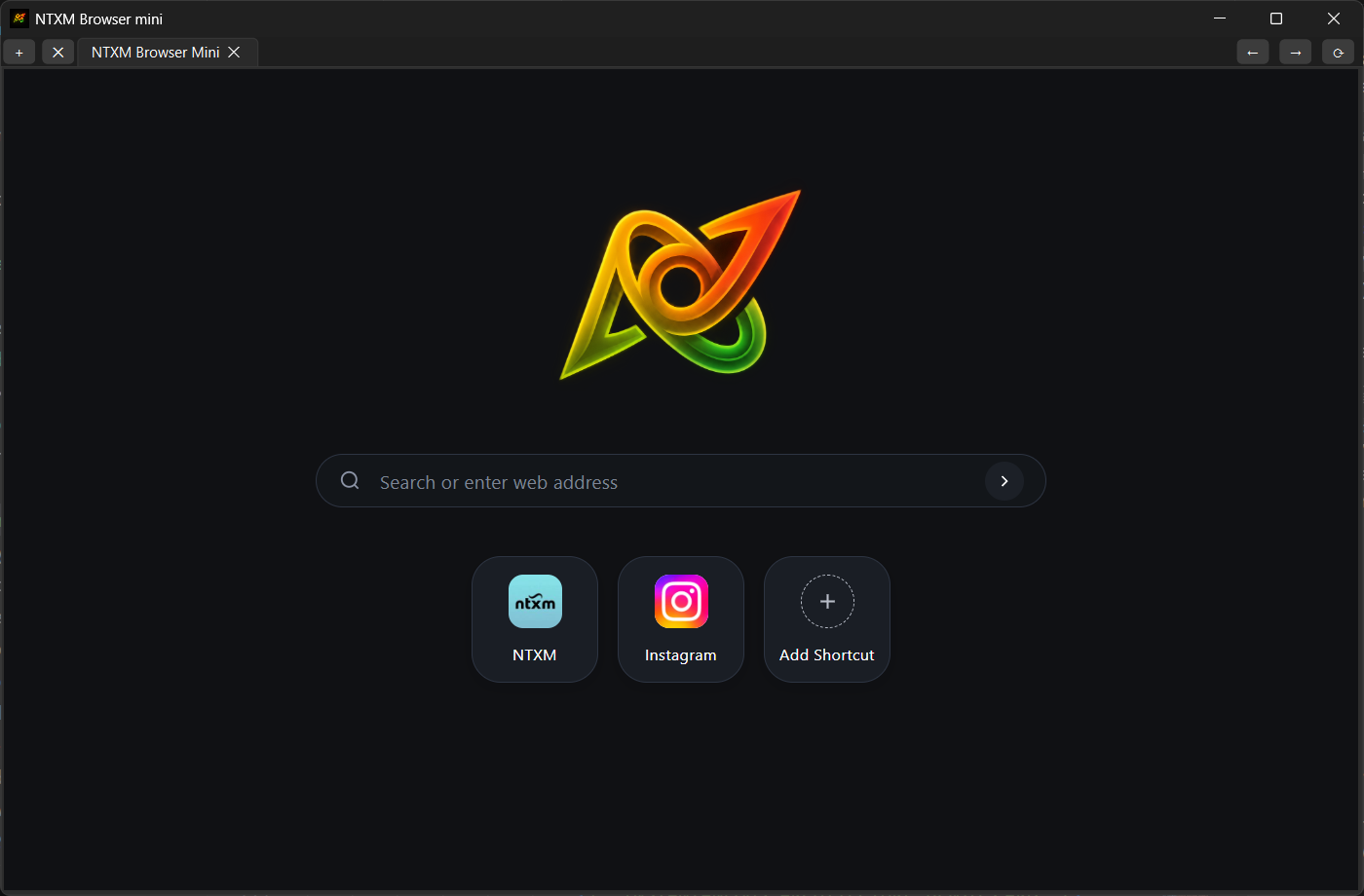
A desktop browser built on Chromium that AI agents and scripts can drive over plain HTTP. An agent asks for a short map of the page, acts on elements by id and gets data back as JSON.
Made by NTXM, built by Nitiksh Kumar.
NTXM Browser is not another Chrome and not a cloud browser farm. It is the local agent browser: one warm profile, HTTP on port 9090, three tools.
An agent — script, NTXM Agent later, anything that can POST JSON — calls /v1. Sessions are s_19, not window=1&tab=4. One session is one tab. Delete closes that tab only.
Normal desktop window. Your Google / airline / site logins live in that profile.
Ranked controls, short ids (a3f), a few facts, hard cap 800 tokens.
fill / click / select / … in one request, optional wait — always returns a fresh observe.
You send a JSON schema; the browser fills it from the page. No LLM inside NTXM Browser.
NTXM Browser Mini is a Chromium browser that stays open on your computer and takes orders over plain HTTP. When it runs, it listens on 127.0.0.1:9090. Your agent or script sends JSON to three endpoints.
POST /v1/observeReturns a short ranked list of the controls on the page, each with a stable id like a3f, plus a few page facts. Capped at about 800 tokens. No raw HTML or screenshots unless you ask.
POST /v1/actClick, fill or select by id. It can wait for the page to settle, then sends back a fresh observe so the agent sees the result right away.
POST /v1/extractSend a JSON schema, get the page's tables or fields back as JSON. No model runs inside the browser.
Playwright, Playwright MCP, Stagehand, and Browser Use already drive browsers. NTXM Browser does not try to beat them at fleets, stealth, or “click the blue button” on a server.
Attach any model to the Chrome that is already open, using a tiny map and your existing cookies.
That is the whole product.
Legacy /windows, /tabs, /page_map, /click still answer for old scripts. They are internal. Manifest and docs lead with /v1.
Measured 2026-09-25 on the shipped 06-kitchen-sink.html only, base http://127.0.0.1:9090. Google Flights and live login traces are not part of this release pack.
Target < 300 ms
Target < 1.5 s
Target ≤ 800
No server-side natural language (act("click the blue button")) — the caller’s model picks the id
No cloud browsers, proxies, or CAPTCHA farm
No screenshot/HTML as the default agent path
No Playwright / CDP requirement
No tab groups
MCP is not a full SDK and not required to use the product
MCP (experimental): same three tools, JSON-RPC envelope at /mcp. Use it only if the host cannot call /v1. Cursor-style attach is not the 0.1.3 guarantee.
Allowlist: first successful origin locks the session. Navigate outside → blocked. A tunnel does not widen that.
POST http://127.0.0.1:9090/v1/session
POST http://127.0.0.1:9090/v1/session/s_19/go
POST http://127.0.0.1:9090/v1/observe
POST http://127.0.0.1:9090/v1/act
POST http://127.0.0.1:9090/v1/extract
GET http://127.0.0.1:9090/v1/manifest
Puppeteer, Selenium and Playwright are libraries that launch and drive a browser from your code. NTXM Browser Mini is a browser that is already open, and your agent talks to it over HTTP. The two overlap, but they solve different problems.
| NTXM Browser Mini | Puppeteer / Selenium / Playwright | |
|---|---|---|
| How you control it | Plain HTTP on 127.0.0.1:9090. Any language that can send JSON. | A library in your language, talking to the browser over CDP or WebDriver. |
| Browser state | Normal window with your real profile. Logins and tabs stay. | Often a new context or headless browser. Logins need saving and restoring. |
| What the agent sees | Ranked controls with short ids, about 800 tokens max. | Full DOM, accessibility tree, screenshots, CSS or XPath selectors. |
| Setup | Install one app and start it. | Install the library, browser binaries and drivers, and manage versions. |
| Best for | AI agents that need a warm, signed-in browser at low token cost. | Testing, scraping and general automation. |
The agent says “click a3f” instead of guessing a CSS selector or reading a huge page dump. Fewer tokens, fewer misses.
No Python, Node or Java binding needed. If it can make an HTTP request, it can drive the browser.
Same window, same profile. The agent can go straight to your dashboard or a booking page without logging in again.
Observe, act, observe. Each step is small and predictable, so the model has less to filter.
In short: use NTXM Browser Mini when an AI agent needs a real, signed-in browser with small, stable ids and almost no setup. Use Playwright, Selenium or Puppeteer when you need a full testing or automation library.
NTXM Browser is the hands. It is not the planner. A future NTXM Agent can call /v1; that is a different product.
| NTXM Browser Mini | Playwright / MCP | Stagehand | Cloud agent browsers | |
|---|---|---|---|---|
| What it is | Local desktop Chromium + /v1 | Library / MCP tools | NL act/extract on Playwright | Rented Chrome + agent |
| Session | Your profile, already logged in | Usually a fresh context | Your script’s browser | Their machine |
| Default see | ~hundreds of tokens, short ids | Accessibility snapshot | Model + observe | Varies; often heavier |
| Default extract | Schema, no NTXM LLM | You parse | Their model + schema | Their agent |
| You install | One installer (Windows or macOS), port 9090 | Node + browsers | SDK + keys | Account + hours |
Let an agent use flight search, dashboards or booking pages with the session you already have.
Small page maps instead of screenshots or full page trees, so each step costs fewer tokens.
Drive it from curl, Python, Node, Rust or PowerShell. No SDK or driver to install.
Run checks against a browser that stays open, instead of starting a new headless context each time.
Everything runs on your own computer, not in a rented cloud browser that loses your logins.
Privacy: local-first, no NTXM telemetry. The page the agent opens is between you and that site.
NTXM Browser Mini 0.1.3 — TechXcelerate · NTXM
v0.1.3 · Windows .exe · macOS .dmg · See all releases