Convert WAV, FLAC and other audio files to MP3 (or the other way)
A WAV is too big to send, a FLAC will not play in the car, or you need an iPhone ringtone. How to convert audio between MP3, M4A, FLAC, WAV, Opus and more with KinoFlux Editor, in bulk and offline.
Nitiksh4 min readKinoFlux Editor
On this page
You have audio in the wrong format. A studio WAV is 5 MB for 30 seconds and too big to email. A FLAC album will not play in the car or on an old phone. A voice recorder made WMA files that nothing opens. Or you just want a song as an iPhone ringtone.
Audio - Convert in KinoFlux Editor converts between twelve audio formats on your own computer. It works on a single file or on hundreds at once.
How to convert audio files#
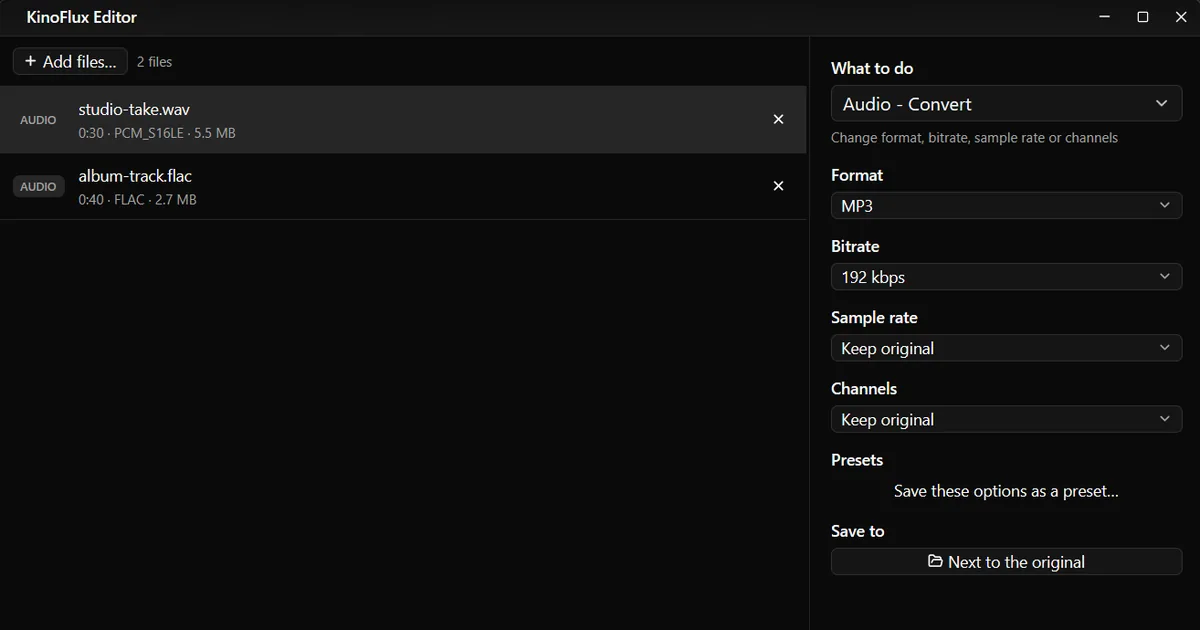
- Add the files. Drag them onto the KinoFlux Editor window. Mixed formats are fine.
- Pick the tool. Press Ctrl+K (Cmd+K on a Mac), type "convert" and choose Audio - Convert.
- Choose the format. MP3 is the default and plays everywhere.
- Choose the bitrate (for MP3, M4A, Opus, OGG and the other compressed formats). 192 kbps is a good default.
- Leave Sample rate and Channels on Keep original, unless a device asks for something specific.
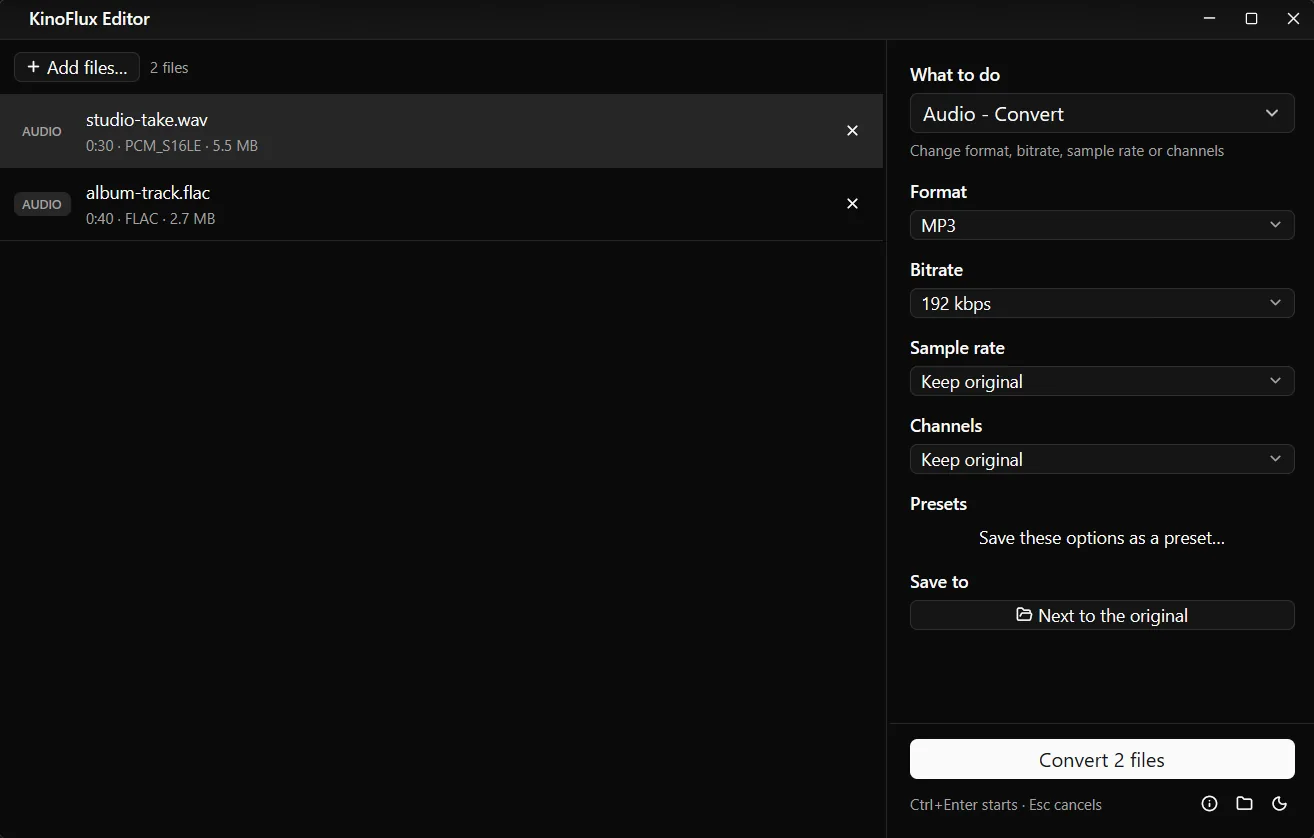
- Start. Press Ctrl+Enter. Each file is saved next to its original with the new extension, for example
studio-take.mp3.
Results#
| File | Length | Before | After (MP3, 192 kbps) |
|---|---|---|---|
| studio-take.wav (48 kHz, stereo) | 30 s | 5.5 MB | 704 KB |
| album-track.flac (44.1 kHz, stereo) | 40 s | 2.7 MB | 939 KB |
A WAV holds the sound uncompressed, so it shrinks the most. FLAC is already compressed without loss, so the saving is smaller but still about two thirds here.
Formats you can convert to#
| Format | Type | Use it for |
|---|---|---|
| MP3 | Compressed | Everything: phones, cars, players, websites |
| M4A (AAC) | Compressed | Apple devices, slightly better than MP3 at the same bitrate |
| Opus | Compressed | Very good quality at low bitrates, voice messages, web |
| OGG Vorbis | Compressed | Games, open formats, some players |
| FLAC | Lossless | Archiving a CD or master copy |
| WAV | Uncompressed | Editing programs, CD burning |
| AAC (raw .aac) | Compressed | Devices that want plain AAC |
| WMA | Compressed | Old Windows players |
| AC3 (Dolby Digital) | Compressed | Home cinema, DVD authoring |
| MP2 | Compressed | Broadcast and old systems |
| AIFF | Uncompressed | Mac audio programs |
| M4R | Compressed | iPhone ringtones |
The tool reads MP3, M4A, AAC, WAV, FLAC, OGG, OGA, Opus, WMA, AIFF and AIF.
Options#
| Option | Choices | Default |
|---|---|---|
| Format | The twelve formats above | MP3 |
| Bitrate | 128, 192, 256 or 320 kbps (compressed formats only) | 192 kbps |
| Sample rate | Keep original, 44.1 kHz, 48 kHz | Keep original |
| Channels | Keep original, Mono, Stereo | Keep original |
Mono is enough for speech recorded with one microphone, and roughly halves the size of WAV, AIFF and FLAC files. 48 kHz is the usual rate for video, 44.1 kHz for music.
Make an iPhone ringtone#
- Cut the part you want with Audio - Trim (see cut, join and fade audio). iPhone ringtones can be up to 40 seconds.
- Optional: add a short fade in and out with Audio - Fade in / out so it does not start or stop abruptly.
- Run Audio - Convert with Format: M4R (iPhone ringtone).
- Copy the
.m4rfile to your iPhone with Finder on a Mac or Apple's device app on Windows.
A 20 second clip became a 357 KB chapter-01.m4r in my test.
Limits#
- Lossy to lossless does not add quality. MP3 to FLAC only makes a bigger file.
- Every lossy conversion loses a little. Converting MP3 to M4A to MP3 again adds up. Convert from the best source you have.
- Cover art is not copied. Text tags are. Add a cover back with Edit tags and cover.
- Only the first audio track of a file is converted.
- No length limit for M4R. The app does not cut the ringtone for you. Trim it first.
Related guides#
- Sound inside a video? Extract the audio as MP3.
- Quiet recordings? Normalize the volume.
- Messy titles and track numbers after converting? Edit tags in bulk.
All tools are on the KinoFlux Editor page.
Frequently asked questions
Which bitrate should I choose for MP3?
192 kbps, the default, sounds the same as the original to most people for music. 128 kbps is fine for speech and podcasts. 320 kbps is the highest MP3 allows and makes the biggest files.
Does converting MP3 to FLAC or WAV improve the sound?
No. It makes the file bigger but cannot bring back detail that the MP3 already threw away. Convert to FLAC or WAV only when a program or device needs that format.
Are the song title and artist kept?
Yes, the text tags are copied to the new file. Embedded cover art is not. Add it back with Edit tags and cover.
How do I make an iPhone ringtone?
Trim the song to 40 seconds or less with Audio - Trim, then convert it with Format set to M4R (iPhone ringtone). Copy the .m4r file to the iPhone with Finder on a Mac or with Apple's device app on Windows.
Can I convert a whole folder at once?
Yes. Drop all the files on the window. Each one is converted on its own, three at a time.
- audio converter
- wav to mp3
- flac to mp3
- ringtone