
Install KinoFlux Editor on Windows and macOS: SmartScreen, Gatekeeper and checksums
How to install KinoFlux Editor 0.1.2 on Windows 10/11 and on Apple Silicon Macs, why both systems show a warning, what to click, and how to check the download's SHA-256 first.
Nitiksh3 min readKinoFlux Editor
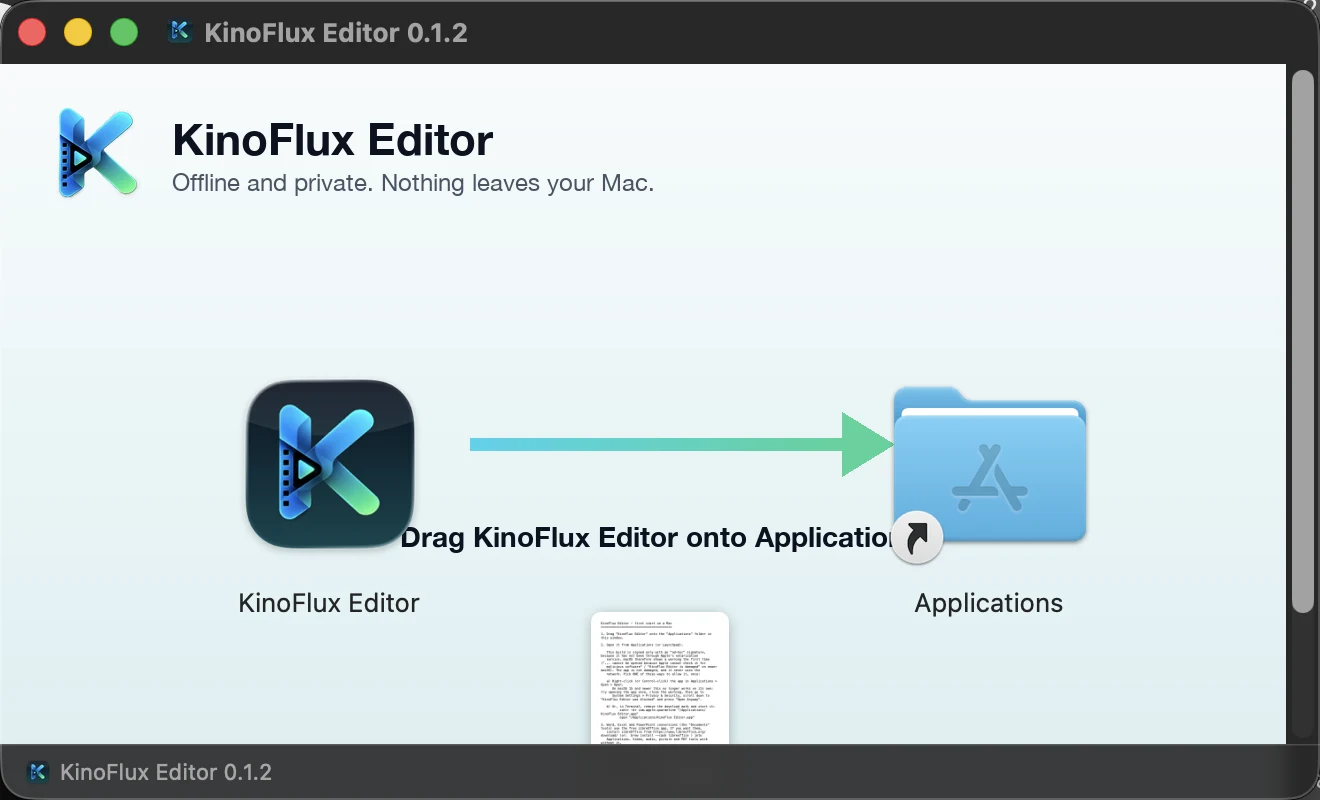
KinoFlux Editor 0.1.2 is not signed with a paid code-signing certificate on Windows, and it is not notarized by Apple on macOS. Both systems therefore show a warning the first time. The warning is about the missing signature, not a scan of the contents. This post shows what each system says, what to click, and how to check that the file you downloaded is the file that was published.
Download#
Both installers are attached to the v0.1.2 release page:
| File | Size | SHA-256 |
|---|---|---|
KinoFlux-Editor-Setup-0.1.2-x64.exe | 262 MB | 8d9ef3e7728b33baedfcc0812e97f739fdeafede1b35ec5627db8be4c16694af |
KinoFlux-Editor-0.1.2-macos-arm64.dmg | 66.5 MB | 56f9722e3f24cf2304cf5d7a95a53861ef4e1914d5a3434db992942a6f19577f |
GitHub shows the SHA-256 next to each file on that page, so you can compare it there as well. The product page links to the same release.
Check the checksum first#
A checksum tells you the file was not damaged or changed on the way. On Windows, open PowerShell in the folder with the download and run:
certutil -hashfile KinoFlux-Editor-Setup-0.1.2-x64.exe SHA256On macOS, in Terminal:
shasum -a 256 KinoFlux-Editor-0.1.2-macos-arm64.dmgCompare the result with the table above. Every character must match. If it does not, download the file again. Note what a checksum cannot do: if you take both the file and the number from the same page, it proves the download is intact, not that the publisher is who you think. Use the release page linked from this site.
Windows#
The installer works on Windows 10 (version 1809) and Windows 11, 64-bit.
- Run
KinoFlux-Editor-Setup-0.1.2-x64.exe. - SmartScreen may show "Windows protected your PC". Click More info, then Run anyway.
- The setup wizard opens.
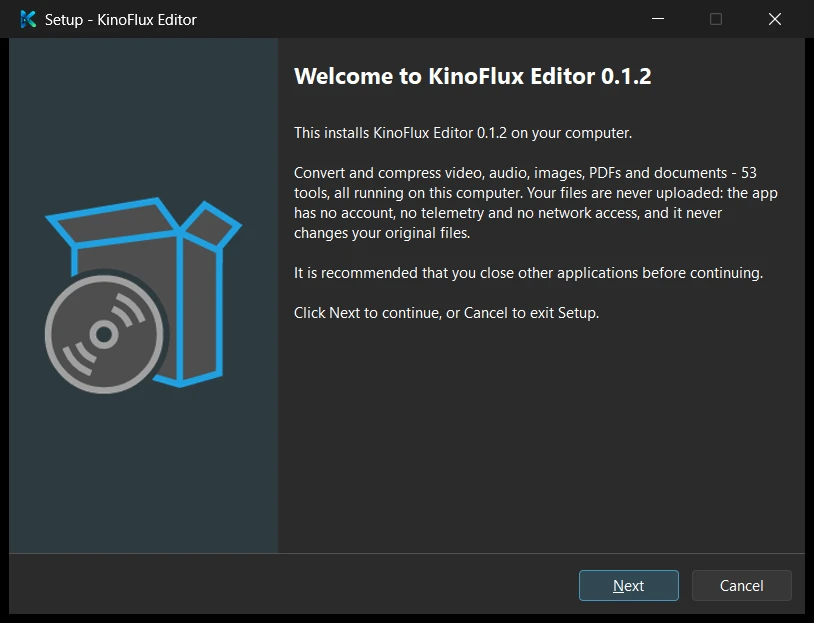
By default the installer installs for the current user only, into %LOCALAPPDATA%\Programs\KinoFlux Editor, and does not ask for administrator rights. You can choose an all-users install instead, which uses Program Files and shows the Windows permission prompt. The project's notes say the all-users path was not tested.
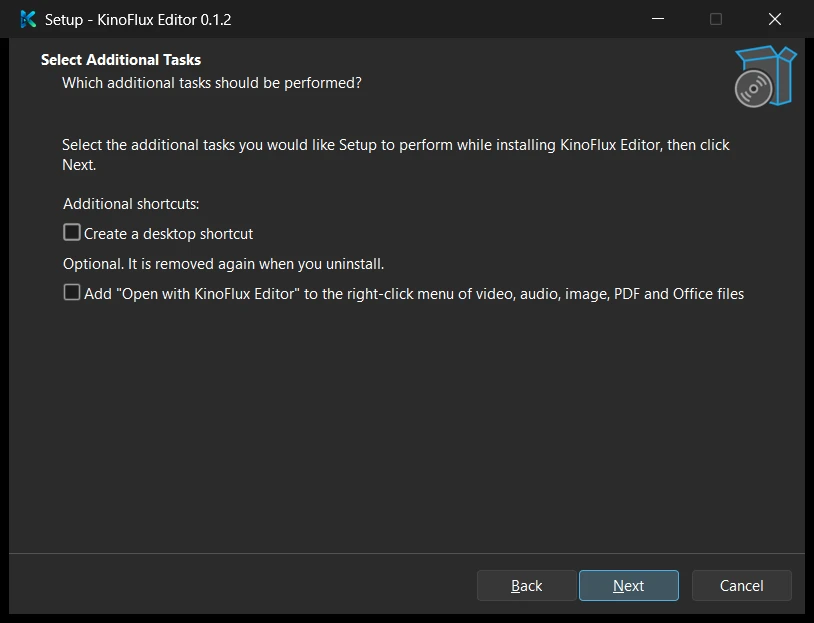
The optional task adds an "Open with KinoFlux Editor" entry to the right-click menu for video, audio, image, PDF and Office files. It does not change your default programs.
Plan for disk space. The project's silent install test unpacked 15,514 files and about 1,144 MB, most of it LibreOffice for the Documents tools. A silent install is possible too:
KinoFlux-Editor-Setup-0.1.2-x64.exe /VERYSILENT /CURRENTUSERTo remove the app, use Windows' installed apps list. The uninstaller asks whether to also delete your settings, presets, history and logs. The default answer is No. Silent uninstalls keep the data unless you add /REMOVEDATA.
macOS#
This build is for Apple Silicon Macs (M1 and later) on macOS 11 or newer. There is no Intel Mac build.
- Open the
.dmgfile. - Drag KinoFlux Editor onto Applications.
- Start it from Applications.
The app is ad-hoc signed but not notarized. Notarization needs a paid Apple Developer account, which this release does not use. So the first start is blocked with a message that Apple could not verify the app.
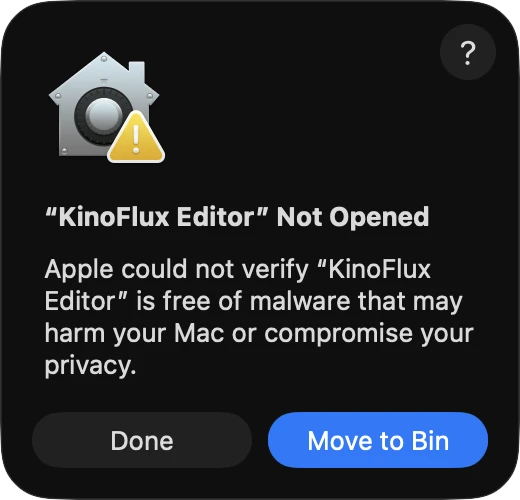
- Click Done. Do not click Move to Bin.
- Open System Settings > Privacy & Security and scroll down to the line saying KinoFlux Editor was blocked.
- Click Open Anyway and confirm. This is the route on macOS 15 and newer. On macOS 14 and older, right-click the app and choose Open instead.
If you prefer Terminal, this removes the quarantine flag, and the project notes say the app starts normally afterwards:
xattr -dr com.apple.quarantine "/Applications/KinoFlux Editor.app"You only need to do this once. The app is about 800 MB once installed, because the conversion programs are inside it. For the Documents tools you need LibreOffice installed separately.
To remove the app, drag it to the Trash. Your settings, logs and caches stay in your Library folders. The README of the project lists a command that removes them as well.
Is it safe to click through these warnings?#
The warnings show up for any unsigned program, so they do not tell you much in either direction. What you can check is that the file matches the published checksum, that it came from the release page, and what the program does. The privacy post lists what it stores and how its offline claim was checked. If you want a hard limit, you can also block the installed program in your firewall.
New to the program? The introduction explains how a job runs.
- install
- smartscreen
- gatekeeper
- checksum